Python 基础语法
总结与
Java语法有比较大出入的 Python 语法
运算符
- 算数运算符
//表示向下取整7 // 3 -> 2-7 // 3 -> -3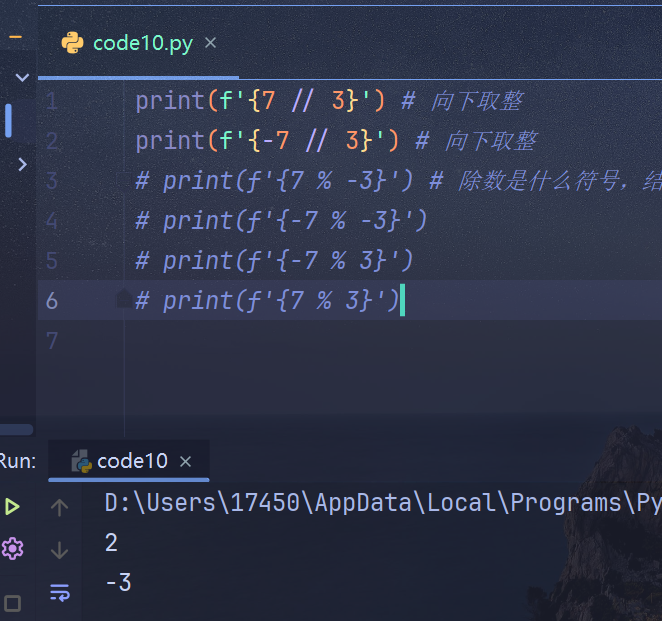
python 基础语法-算数运算符-向下取整 %取余,与Java不同,它是依赖于向下取整a % b = a - (b * (a // b))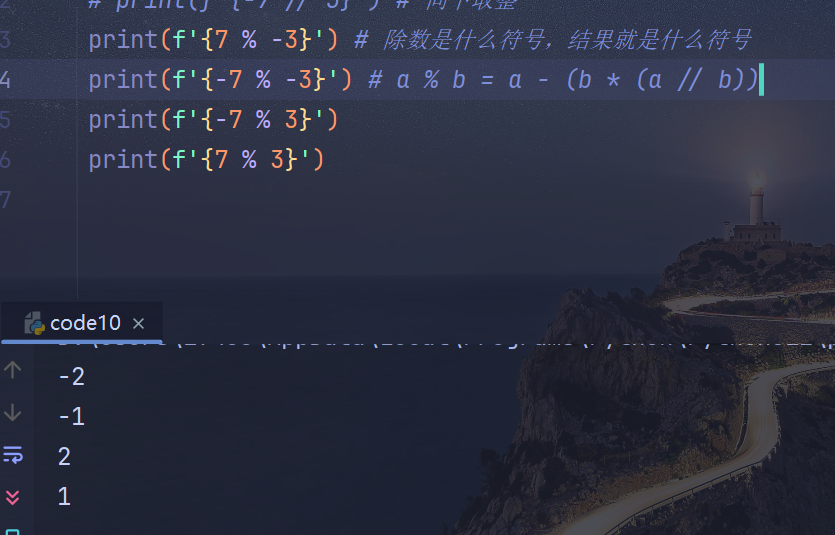
python 基础语法-算数运算符-取余
- 逻辑运算符
- 问题:
print(f'{0.1 + 0.2 == 0.3}')结果是什么?- 答案是
False - 因为浮点数有精度问题
- 解决方法:两数相减的误差的小于某一个值即可
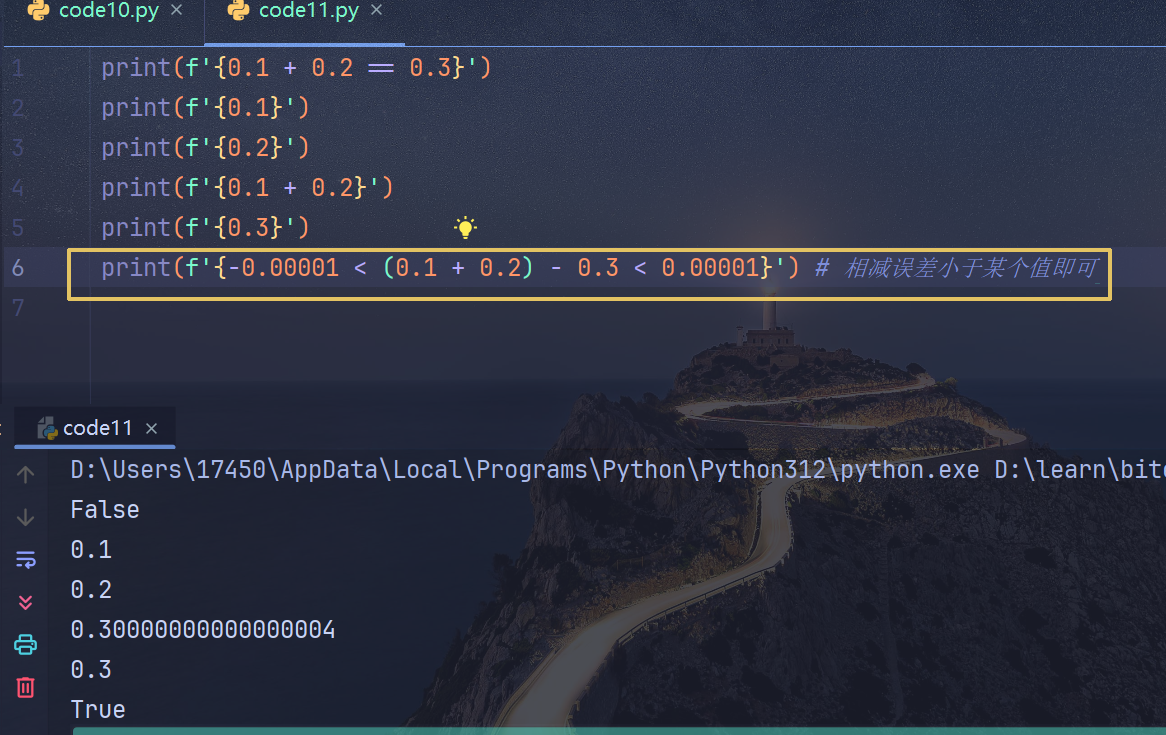
python 基础语法-浮点数精度解决方法
- 答案是
- 问题:
函数
- 返回值
Python中函数的返回值可以有多个,类似与 多元赋值- 例子:
Pythondef test(): return 1,2 _, b =test() # _ 看成一个变量名即可 print(_) # 打印 1 - 变量的作用域
- 可以通过
global关键字在方法内部修改全局变量 - 例子:
Pythonx = 10 def test(): # global x = 20 # error global x x = 20 test() print(x) # 打印 20 - 可以通过
- 参数
参数的默认值
- 语法:参数内用
=表示默认值,默认值要放在最后 - 例子:
Pythondef test(a, b, debug=False): # 不能定义为 test(a, , b): if (debug): print(a) return a + b test(29, 10, True) # 打印 39 test(29, 10) # 不打印- 语法:参数内用
关键字参数
- 语法:关键字 = 变量
- 例子:
Pythondef test(x, y): print(f"x = {x}") print(f"y = {y}") a = 2 # 这两个打印结果是一样的 test(x = a, y = 20) test(y = 20, x = a)
列表与元组
列表遍历
通过元素遍历 类似
Java中for-each例子:
Pythonarr = [1, 2, 3, 4, 5] for elem in arr: print(elem, end=' ') # 1 2 3 4 5 print()通过
range访问下标遍历例子:
Pythonarr = [1, 2, 3, 4, 5] for i in range(len(arr)): print(arr[i], end=' ') # 1 2 3 4 5 print()
列表与元组的区别
内容 列表 元组 元素是否可以改变 可以 不可以 应用场景 CRUD的场景:用户信息改变多人协作,不想别人改变自己的元素/线程安全
字典
- 形式:类似与
JavaHashMap的数据结构,有键值对组成 - 遍历
- 直接用
for-in遍历:Pythonstudent = { "id": "711512821", "name": "张三", "age": 15 } for key in student: print(f" k = {key} val = {student[key]}") - 通过
keysvaluesitems遍历:Pythonstudent = { "id": "711512821", "name": "张三", "age": 15 } print(student.keys()) # 获取键 print(student.values()) # 获取值 print(student.items()) # 获取对 # 只演示 items 遍历 for item in student.items(): # item 是元组 可以用 [0] [1] 来访问 print(f" item = {item} item[0] = {item[0]} item[1] = {item[1]}")
- 直接用
文件
- 如何打开:
- 通过 open(path, type) 函数打开
- path 表示路径,type 表示打开方式
r(read 只读)w(write 写入)a(append 追加)
- 读取
- 如何遍历: Python
f = open('./test.txt', 'r', encoding="UTF-8") # 要添加 UTF-8 否则有编码问题

# print(f.read(2)) # 读取两个字符
# print(f.read()) # 读取全部字符

# for-in 遍历
# for line in f:
#     print(f'line = {line}', end='')

# 直接去读全部遍历
lines = f.readlines()
print(lines)

f.close()
- 如何遍历:
- 上下文管理器
- 用途:当程序出现异常/函数
return返回等情况下可以自动关闭,类似Java中try()-catch - 例子: Python
files = []

def read():
    # 这样不会出现异常
    # with open('./test.txt') as f:
    #     files.append(f)
    #     return ''

    # 这样就会出现异常
    f = open('./test.txt')
    files.append(f)
    return ''

count = 0
while True:
    read()
    count += 1
    print(f"count = {count}")
- 用途:当程序出现异常/函数
其他语法
- 空语句
- 语法:
pass - 用途: 单纯占位,类似与
Java中的TODO注释,表示这里有业务逻辑,但是 暂时不写 - 代码:
Pythona = 1 if a != 1: pass # 占位 else: print(f"a = {a}") - 语法: